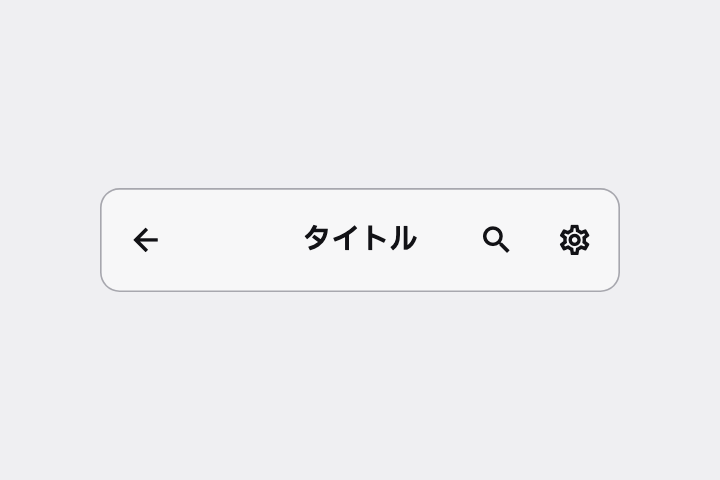
左に戻る矢印、中央にタイトル、右に検索とその他(⋮)のアイコンがある Top App Bar を作って。
# Top App Bar / アプリバー(画面上部のバー)

- id: `app_bar`  URL: https://uizukan.dev/entry/app_bar/
- 種別: 表示 / Navigation
- 別名: App Bar, Navigation Bar (iOS), Header Bar, Toolbar, Title Bar
- 呼び名: Material 3=Top app bar(Small / Center-aligned / Medium / Large) / Material 2=Top app bar(Regular / Contextual action bar) / Android (Compose)=TopAppBar / CenterAlignedTopAppBar / iOS (HIG)=Navigation bars / SwiftUI=NavigationStack + .navigationTitle / .toolbar / Web=<header> + <nav> / Flutter=AppBar / SliverAppBar / CupertinoNavigationBar
- Flutter: `AppBar / SliverAppBar / CupertinoNavigationBar`
- 関連: large_title_app_bar, icon_button, collapsing_toolbar, tab_bar

**説明**: 画面上端に固定され、左に戻るボタン(またはメニュー)、中央〜左にタイトル、右にアクション(検索・共有など)を持つ。Material 3 では高さ 64dp が標準。スクロールで色が変わる(surfaceTint)。

**使いどころ**: ほぼ全ての画面。モーダル画面では左を「閉じる(×)」にする。

**AI への伝え方(日本語)**: 左に戻る矢印、中央にタイトル、右に検索とその他(⋮)のアイコンがある Top App Bar を作って。

**Prompt (English)**: Create a Top App Bar with a back arrow on the left, a title in the center, and search + overflow (⋮) icons on the right.
詳細プロンプト は Pro
開発者向け Pro(準備中)で、AI が MCP から直接取りに行けるようになります。名前・デモ・プロンプト・Markdown は無料のままです。
Pro の案内を見る
Flutter コード は Pro
開発者向け Pro(準備中)で、AI が MCP から直接取りに行けるようになります。名前・デモ・プロンプト・Markdown は無料のままです。
Pro の案内を見る