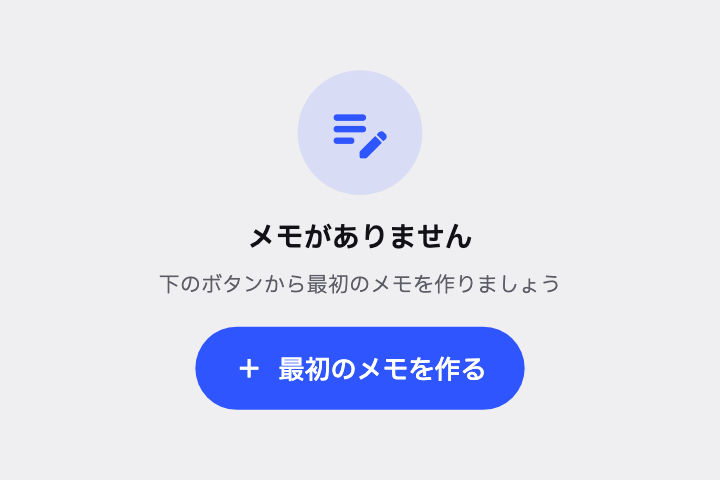
メモが 0 件のときに Empty State を出して。中央に大きなアイコン、「メモがありません」、説明文、「最初のメモを作る」ボタンで。
# Empty State / 空状態(エンプティステート)

- id: `empty_state`  URL: https://uizukan.dev/entry/empty_state/
- 種別: 表示 / Feedback & Status
- 別名: Zero State, Blank Slate, No Data View, Empty View
- 呼び名: Material 3=該当なし(M3 に無い) / Material 2=該当なし(M2 に無い) / Android (Compose)=該当なし(Column + Icon + Text + Button) / iOS (HIG)=該当なし(iOS 標準には無い) / SwiftUI=ContentUnavailableView / Web=該当なし(Empty state) / Flutter=自作(Column + Icon + Text + FilledButton)
- Flutter: `自作(Column + Icon + Text + FilledButton)`
- 関連: filled_button, banner, circular_progress

**説明**: データがゼロの画面で、ただ真っ白にせず「なぜ空か」「次に何をすればよいか」を示す。イラスト・見出し・説明・CTA で構成。

**使いどころ**: 初回利用、検索結果ゼロ、エラーで取得できなかった時(それぞれ文言を変える)。

**AI への伝え方(日本語)**: メモが 0 件のときに Empty State を出して。中央に大きなアイコン、「メモがありません」、説明文、「最初のメモを作る」ボタンで。

**Prompt (English)**: Show an Empty State when there are no notes: a large centered icon, "No notes yet", a short description, and a "Create your first note" button.
詳細プロンプト は Pro
開発者向け Pro(準備中)で、AI が MCP から直接取りに行けるようになります。名前・デモ・プロンプト・Markdown は無料のままです。
Pro の案内を見る
Flutter コード は Pro
開発者向け Pro(準備中)で、AI が MCP から直接取りに行けるようになります。名前・デモ・プロンプト・Markdown は無料のままです。
Pro の案内を見る