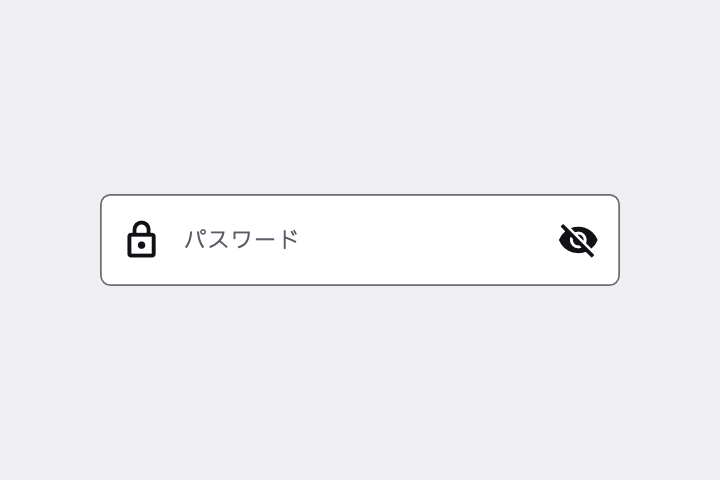
パスワード入力欄を作って。●で隠し、右端の目のアイコン(visibility / visibility_off)で表示・非表示を切り替えられるように。
# Password Field with Visibility Toggle / 表示切替付きパスワード欄

- id: `password_field`  URL: https://uizukan.dev/entry/password_field/
- 種別: 表示 / Inputs & Selection
- 別名: Obscured Text Field, Secure Text Field, Show/Hide Password
- 呼び名: Material 3=該当なし(Text field の trailing icon で表現) / Material 2=該当なし(Text field の trailing icon で表現) / Android (Compose)=TextField + PasswordVisualTransformation / iOS (HIG)=Text fields(Secure text field) / SwiftUI=SecureField(表示切替は TextField と入れ替え) / Web=<input type="password"> / Flutter=TextField(obscureText:) + suffixIcon
- Flutter: `TextField(obscureText:) + suffixIcon`
- 関連: text_field_outlined, icon_button

**説明**: obscureText で文字を隠した入力欄。末尾(suffix)の目アイコンで一時的に平文表示できる。

**使いどころ**: ログイン・登録・パスワード変更。

**AI への伝え方(日本語)**: パスワード入力欄を作って。●で隠し、右端の目のアイコン(visibility / visibility_off)で表示・非表示を切り替えられるように。

**Prompt (English)**: Create a password field that masks input with dots and has an eye icon (visibility / visibility_off) at the trailing edge to toggle visibility.
詳細プロンプト は Pro
開発者向け Pro(準備中)で、AI が MCP から直接取りに行けるようになります。名前・デモ・プロンプト・Markdown は無料のままです。
Pro の案内を見る
Flutter コード は Pro
開発者向け Pro(準備中)で、AI が MCP から直接取りに行けるようになります。名前・デモ・プロンプト・Markdown は無料のままです。
Pro の案内を見る