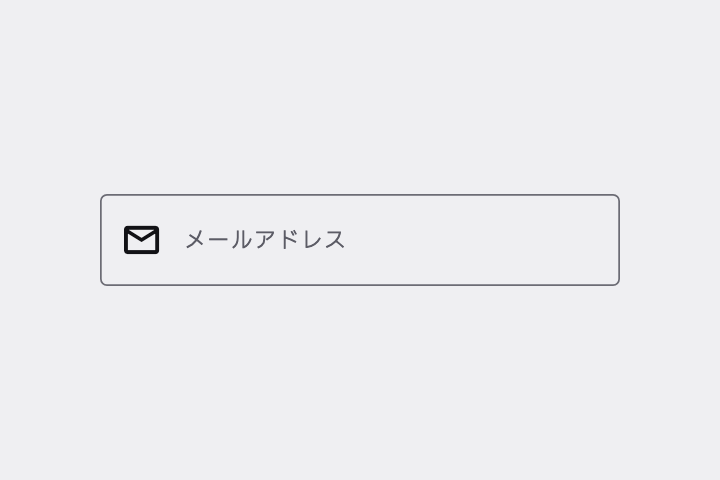
メールアドレス用の Outlined Text Field を作って。ラベル「メールアドレス」がフォーカスで枠の上に浮き上がり、不正な形式なら枠が赤くなって下にエラー文が出るように。
# Outlined Text Field / アウトライン付きテキストフィールド

- id: `text_field_outlined`  URL: https://uizukan.dev/entry/text_field_outlined/
- 種別: 表示 / Inputs & Selection
- 別名: Outlined Input, Text Input, Bordered Text Field
- 呼び名: Material 3=Outlined text field / Material 2=Outlined text field / Android (Compose)=OutlinedTextField / iOS (HIG)=Text fields / SwiftUI=TextField + .textFieldStyle(.roundedBorder) / Web=<input type="text"> / Flutter=TextField / TextFormField + OutlineInputBorder
- Flutter: `TextField / TextFormField + OutlineInputBorder`
- 関連: text_field_filled, password_field, shake

**説明**: 枠線(outline)で囲まれた入力欄。フォーカスすると枠が primary 色になり、ラベルが枠線の切れ目に小さく浮き上がる(floating label)。ヒント・エラー文・文字数カウンタを下に出せる。

**使いどころ**: フォーム全般。背景が白っぽく Filled だと目立たないとき。

**AI への伝え方(日本語)**: メールアドレス用の Outlined Text Field を作って。ラベル「メールアドレス」がフォーカスで枠の上に浮き上がり、不正な形式なら枠が赤くなって下にエラー文が出るように。

**Prompt (English)**: Create an Outlined Text Field for email. The "Email" label should float onto the border on focus; when the format is invalid, turn the border red and show an error message below.
詳細プロンプト は Pro
開発者向け Pro(準備中)で、AI が MCP から直接取りに行けるようになります。名前・デモ・プロンプト・Markdown は無料のままです。
Pro の案内を見る
Flutter コード は Pro
開発者向け Pro(準備中)で、AI が MCP から直接取りに行けるようになります。名前・デモ・プロンプト・Markdown は無料のままです。
Pro の案内を見る